
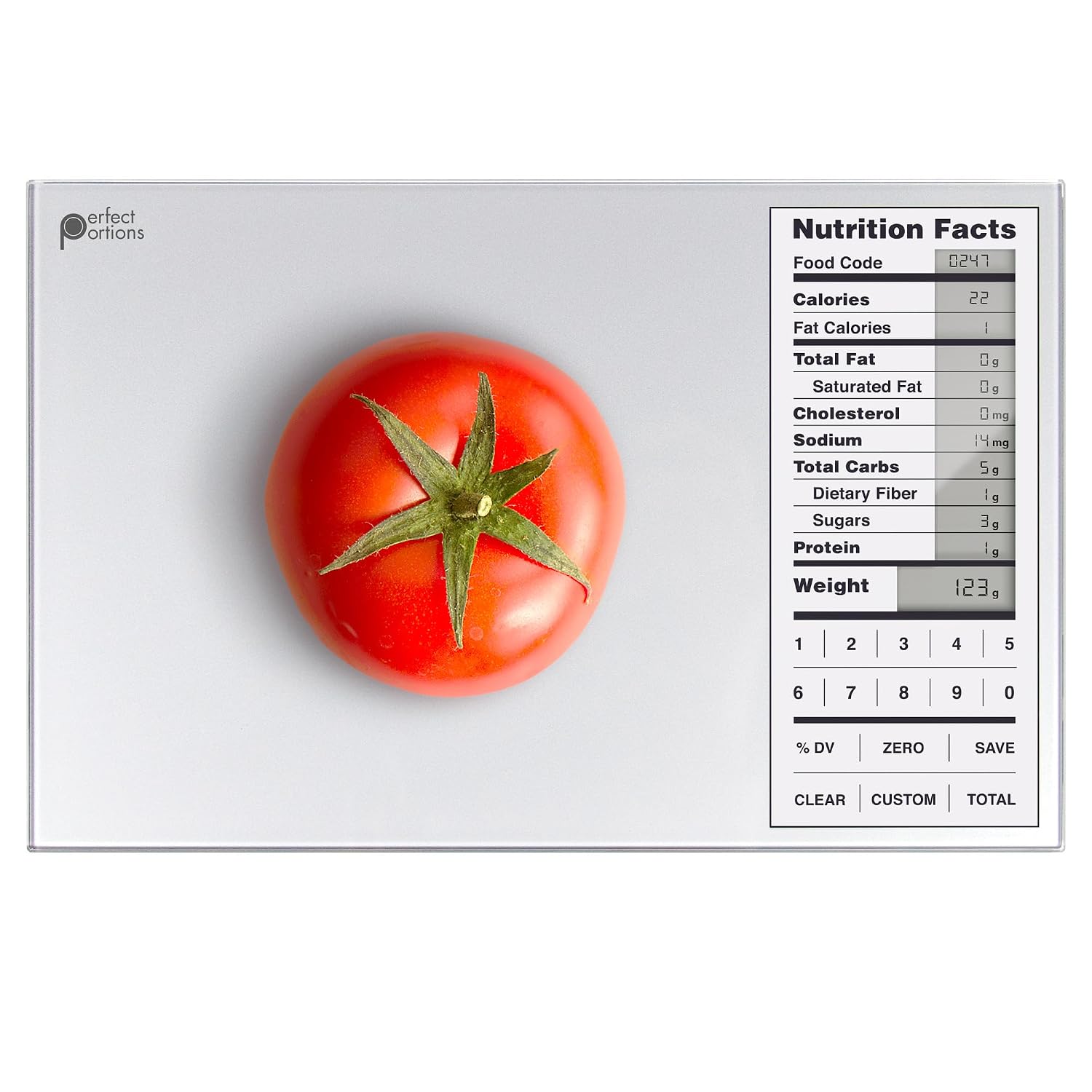
Greater Goods Perfect Portions Nutrition Food Scale for Carb Counting, Grey
$28.51
Related Products


Product description

Measure Entire Meals  Weigh
Weigh
Add your first ingredient directly to the nutrition scale or zero out the weight of a bowl to keep it more contained.
 Save
Save
Once weighed, select Save, and the nutrition scale will store the ingredient’s nutrition values.
 Weigh More
Repeat steps one and two until each ingredient of your meal has been weighed and saved on the nutrition scale.
 View Total
Press Total to view the ingredients’ combined nutritional value, then again to return to weighing, or select Clear to reset your meal prep scale.


Add a Custom Food Code  Select Custom
Don’t see an ingredient? Create a custom food code by holding Custom on the nutrition scale. Just be sure you have the nutrition label on hand.
 Choose Digits
After pressing Custom, your calorie counting scale will prompt you to enter a food code. You can choose any 2-digit number between 01 and 99.
 Enter Nutrients
Enter the nutrient values as they appear on the food label. Then, press Custom on the nutrition scale and enter the protein and weight per serving.
 Use Your New Code
To use your new code, simply select Custom on the macro scale and enter your chosen 2-digit number.
Calculate Calories, Macros, and All the Nutrition Facts You Need!
Looking for the perfect meal prep scale? The Greater Goods Nutrition Value Scale is like having a little nutritionist in your kitchen. It contains the nutritional facts on over 2,000 food items and can add and store up to 99 more customized entries. You can also total nutritional information by measuring and saving multiple ingredients, making it the perfect calorie counting scale.

Complete Your Kitchen
Add to Cart
Add to Cart
Add to Cart
Add to Cart
Add to Cart
Customer Reviews
4.3 out of 5 stars 506
4.6 out of 5 stars 7,877
4.6 out of 5 stars 7,877
4.6 out of 5 stars 7,877
4.6 out of 5 stars 7,877
Price
$28.51$28.51
$34.99$34.99
$34.99$34.99
$34.99$34.99
$34.99$34.99
Backlit
✔
✔
✔
✔
✔
2,000 Food Codes
✔
✔
✔
✔
✔
99 Custom Entries
✔
✔
✔
✔
✔
Resolution
1g
1g
1g
1g
1g
Max Capacity
11lbs
11lbs
11lbs
11lbs
11lbs
I just got my scale and it won’t turn on. Help!
Make sure you’ve removed the plastic pull tab from the battery compartment on the back of your scale. Your scale won’t turn on until you activate the batteries. If you’ve done this and it still doesn’t work, reach out to us so we can help.
If I want to measure ingredients in a container, how do I subtract the weight of the container from the total?
Turn the scale on and place your container on the weighing surface first. Then, press the ZERO button once. When you’re done, remove all items from the scale and press ZERO again, or just turn your scale off to reset the tare function.
My scale keeps saying “HHHH” in the weight area. What can I do?
Unfortunately, that code means your scale is broken and needs to be replaced. While we never want a defective scale to get to a customer, occasionally it can happen–which is why we’ll replace defective scales for up to five years after purchase!
My scale says “UNST” in the weight area. What does this mean?
The scale is “Unstable” and needs to settle before use. The whole surface of the scale is a weighing mechanism, anything touching it will keep it from settling completely. Place the scale on a hard, flat surface and quickly press the ON/OFF button.
Where does the nutritional information come from?
The scale contains data derived directly from a U.S. Department of Agriculture database. The data given is presumed to be accurate for the sample the government tested, but there can be significant variability in samples of the same types of food.
How it Works: Find your food in the included code booklet, enter its code on the scale, then weigh your portion to view calories, protein, carbs, fat, and sodium in a familiar nutrition-label layout. No app, account, or internet connection is required. The optional app helps you look up and save favorite food codes but does not connect to or control the scale.
2,000 Foods + 99 Custom Entries: The included food database covers 2,000 common meats, fruits, vegetables, grains, and packaged ingredients, each with a corresponding food code. For foods not listed in the booklet, create up to 99 custom entries using nutrition information from the food label for more personalized calorie and macro tracking.
Build Complete Meals: Track nutrition for recipes and meals with multiple ingredients using the built-in SAVE and TOTAL functions. Weigh and save each ingredient as you add it to the same plate or bowl, then press TOTAL when you’re finished to view the combined calories and macros for the entire recipe or meal.
A Kitchen Scale Too: Use it as a standard digital food scale for everyday weighing, with a capacity up to 11lb and readings in 1g / 0.1oz increments. Switch between grams and ounces with a simple button press. The display keeps weight and nutrition information ready to read.
For Everyday Use: The smooth tempered-glass surface wipes clean easily, while the slim 9.3″ × 6″ × 0.9″ design stores neatly in a drawer or takes up minimal counter space. Auto shutoff helps conserve battery life, with 5-year coverage and support from our St. Louis-based team.(edited)
User Reviews
Be the first to review “Greater Goods Perfect Portions Nutrition Food Scale for Carb Counting, Grey”
$28.51
There are no reviews yet.